Camera Detector Hidden
- 0.0
- Rating
- 100.00K
- Installs
- Free
- Price

 Analysis by App-foxy
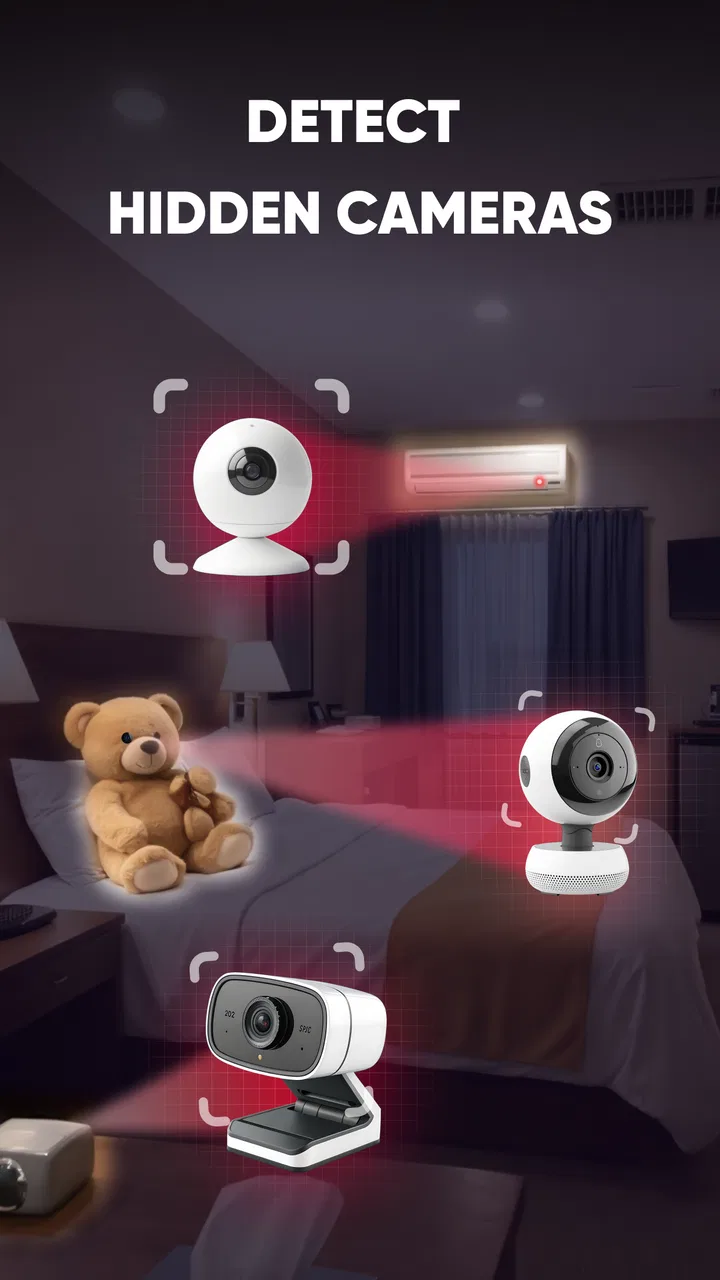
Camera Detector Hidden is a free productivity app from KimoBoy that focuses on a very specific concern: helping me look for possible hidden cameras with a phone. Its toolkit brings together WiFi scanning, infrared tools, Bluetooth checks, and AI-assisted analysis, so the experience is broader than simply pointing the camera around a room and hoping to notice a reflection.
I approached it as a practical inspection tool rather than a guarantee of privacy. That distinction matters. A phone can help identify suspicious signals or unusual objects, but it cannot turn an ordinary handset into a professional surveillance countermeasure. In my experience, the app is most useful when I use it methodically, repeat checks from different positions, and treat every result as something to investigate rather than automatic proof.
What the central detection idea really offers
The strongest part of Camera Detector Hidden is the way it combines several search methods around one task. WiFi scanning looks at nearby network activity, Bluetooth can reveal discoverable devices, infrared tools are intended to help with camera components that may react to infrared light, and AI adds another layer for interpreting what the phone sees. Each approach addresses a different clue, which is more sensible than relying on a single visual trick.
You May Also Like

 Blood Strike: 2.5 Anniversary
Blood Strike’s Loadouts Turn Every Drop Into a Tactical Gamble
A close look at Blood Strike’s custom loadouts: how fast access to signature weapons reshapes its battle royale rhythm, rewards preparation, and narrows the gap between fights.

 Pandora - Music & Podcasts
Pandora’s Music Is Easy to Start, but Harder to Recover
Pandora’s strength is its low-effort path from a seed to a station. Its weak spot is how much confidence it asks you to place in connection, setup, and quiet recovery.

 8 Ball Pool
 Is Built on Rivalries, Rematches, and Routine
A close look at the rivalries, rematches, shared routines, and unanswered safety questions that turn a quick pool match into a persistent mobile community.

 Samsung Music
’s Quiet Strength Is Playing What You Already Own
Its reach comes less from spectacle than from dependable access to a personal library. That simplicity is both the app’s strongest retention engine and its ceiling.

 AccuWeather: Weather Radar
AccuWeather Review: A Quick, Clear Forecast for Everyday Decisions
For everyday plans, the best forecast is the one you can understand quickly. AccuWeather makes rain timing, radar, and local conditions easy to act on, with a few trade-offs.

 Hill Climb Racing
Why Hill Climb Racing Still Turns Crashes Into One More Run
A tiny car, a bumpy hill and one more upgrade: Hill Climb Racing keeps resurfacing because its simple chaos makes every near-miss feel personal.
More From Our News Desk
View All News


That combination is particularly relevant in unfamiliar rooms. A rental apartment, hotel room, changing area, or borrowed office may contain devices that are difficult to notice during a quick visual sweep. The app gives me a structured reason to slow down and inspect areas such as smoke detectors, wall fixtures, clocks, chargers, vents, decorative objects, and anything facing a bed, desk, or seating area.
The important insight is that the app is better viewed as a clue organizer than as a definitive detector. A WiFi device may be a router, speaker, television, printer, or another guest’s phone. A Bluetooth result can be equally ordinary. Infrared reflections can come from harmless surfaces, while AI can misinterpret shapes, glare, or familiar objects. The value comes from comparing clues, not from treating one alert as a final answer.
This is also why the app fits the productivity category reasonably well. It is not entertainment, and its usefulness depends on completing a careful task. I can use it as part of a short privacy checklist before settling into a room, especially when I want something more organized than an anxious visual search.
Starting a useful inspection
I would begin with the room itself, before opening every tool. I look for objects with an unobstructed view of private areas and note anything that seems newly placed, oddly positioned, or unnecessarily powered. This first pass gives the later scans context. Without it, a long list of nearby signals can become distracting rather than helpful.
Next, I would use the WiFi and Bluetooth sections to understand the local environment. The practical question is not “does the app show a device?” but “does this device make sense here?” A television, access point, smartwatch, or speaker may explain a result immediately. An unfamiliar entry near an object with a clear view into the room deserves closer attention, although even that combination is only a reason to inspect further.
The infrared tool is most useful in a dimmer setting where reflections are easier to notice. I would move slowly and change the viewing angle instead of sweeping the phone rapidly. A tiny bright point that remains fixed on a suspicious object is more worth checking than a flash that appears across many glossy surfaces. This simple technique helps reduce false alarms caused by mirrors, polished furniture, screens, and metal trim.
AI assistance can be helpful when I am unsure whether an object deserves a second look. I would use it to support visual comparison, not to replace it. If the app highlights a common household item, I would still consider its position, wiring, lens-like openings, and purpose. The most reliable workflow is a loop: inspect, scan, question the result, then inspect the physical object safely.
A realistic hotel-room routine
Imagine arriving late at a hotel and wanting a quick privacy check before unpacking. I would first close the curtains and turn off unnecessary lights, then visually inspect the room from the bed and bathroom doorway. After that, I would run the available network and Bluetooth checks, looking for entries that have an obvious explanation. I would then use the infrared view around objects facing the bed, desk, and bathroom entrance.
If something looks unusual, I would not immediately dismantle it or accuse anyone. I would photograph the object for my own record, compare its position with nearby furnishings, and ask hotel staff for an explanation. If the concern remains serious, leaving the room and contacting the relevant authorities is safer than trying to investigate electrical equipment personally. The app can support that decision-making process, but it should never encourage risky handling of unknown devices.
This scenario shows where the app earns its place. It gives a nervous traveler a repeatable sequence and helps separate a quick check from random searching. It also makes it easier to remember which areas were examined. That organizational benefit is easy to overlook, yet it is more useful than repeatedly waving a phone around without a plan.
How to interpret the different clues
WiFi scanning is most meaningful when the surrounding network is understandable. In a home, I may recognize the router and connected appliances. In a hotel or shared building, the list can be much busier, so unfamiliar names are not automatically suspicious. A hidden camera could also use a separate recording method, while a legitimate device may appear with a vague or unhelpful name.
Bluetooth has a similar limitation. It can expose nearby discoverable accessories, but many devices remain invisible unless they are actively pairing or advertising. That means a quiet Bluetooth screen should not reassure me completely, just as a crowded one should not frighten me. I use it as one piece of environmental information.
Infrared checking depends heavily on the phone’s hardware and the conditions in the room. Some phones handle infrared-related viewing differently from others, and ordinary reflective materials can create convincing-looking points of light. I get better results by checking the same object from multiple angles and comparing it with nearby surfaces. The app can make this process accessible, but the physical world still determines what the phone can observe.
AI is useful when it helps me notice patterns I might overlook, yet it should be treated cautiously. Visual analysis can be affected by poor lighting, clutter, unusual furniture, and camera angle. I would never rely on an AI indication alone before making a serious accusation. The best use is prioritization: let it suggest where to look more closely, then verify the object with ordinary observation.
Small habits that improve the result
One non-obvious improvement is to create a baseline before entering a private space. I can scan a familiar room at home and observe how many ordinary WiFi and Bluetooth devices appear. That makes the interface less intimidating later and teaches me how normal reflections and household objects look through the infrared tool.
Another useful habit is to inspect in stages instead of running every feature at once. I would first map visible objects, then check wireless signals, then examine suspicious physical locations with infrared and AI. This reduces confirmation bias. If I start with a frightening-looking result, I may interpret every ordinary detail as evidence; a staged process keeps the investigation grounded.
I would also keep the phone still for a few seconds when checking an object. Fast movement creates changing reflections and makes visual comparison harder. A slow pause, followed by a second angle, gives me a more dependable impression. This is a simple technique, but it makes the infrared portion feel less like a novelty and more like a deliberate inspection aid.
Where the app creates friction
The biggest trade-off is certainty. Camera Detector Hidden can help me search, but it cannot promise that a room is free of surveillance. A camera may be offline, wired independently, concealed behind a material the phone cannot identify, or outside the range of the wireless checks. Conversely, ordinary devices can produce results that look suspicious when viewed without context.
That limitation is not a minor footnote; it defines how responsibly the app should be used. Anyone needing a formal security inspection should choose professional equipment and trained assistance instead. The app is better suited to personal awareness and preliminary checks, not forensic conclusions.
There is also a learning curve in interpreting the results. The interface may feel straightforward, but the meaning of a scan depends on the room. A traveler who expects a simple green-or-red answer may find the experience frustrating. I prefer to see that as a reason to use the app slowly, although people who want instant certainty may be happier with a basic visual checklist and professional support when the stakes are high.
Another trade-off is that several detection methods can increase anxiety as easily as they increase awareness. Seeing many nearby signals in a busy building may make a room feel more suspicious than it is. I would set a clear stopping point: investigate results that have a plausible physical connection, document genuine concerns, and avoid endlessly rescanning ordinary objects.
Who will benefit most
This app makes the most sense for travelers, renters, students living in shared accommodation, and anyone who occasionally wants a structured privacy check. It is also useful for people who are curious about the wireless and visual environment around them, provided they understand that curiosity should not become an accusation based on a single scan.
It is less suitable for someone who needs certified technical assurance, wants a professional-grade counter-surveillance system, or is uncomfortable interpreting ambiguous results. In those cases, a qualified inspector is the better option. I would also skip it if I were looking for a general network analyzer, a home automation controller, or a full device-security suite; its purpose is narrower and more focused.
The app is free, carries an Everyone age rating, and has reached over one hundred thousand installs. Its average rating is currently zero, which does not give me a useful community signal for judging everyday performance. I would therefore make the decision based on the specific need for a multi-method camera check rather than on popularity alone.
KimoBoy has released Camera Detector Hidden as version one point zero point one, with support beginning at Android seven point zero. Those details make it accessible to many older Android phones, although the practical quality of infrared and camera-based checks can still vary with the handset itself. I would check that my phone can provide the kind of visual and sensor access the app expects before relying on it during travel.
My recommendation after using it
I like the app most when I treat it as a calm, repeatable inspection companion. Its central strength is not that one tool magically finds every hidden camera; it is that WiFi, Bluetooth, infrared, and AI encourage me to examine the same room from different angles. That makes the process more thoughtful than a quick search with the phone camera alone.
My recommendation is therefore conditional but positive. If you want a free first-pass tool for unfamiliar rooms, and you are willing to interpret results carefully, Camera Detector Hidden is worth trying. Use it alongside common sense, physical observation, and sensible safety decisions. If you need certainty, skip the app as your final safeguard and contact a professional instead.
For me, the deciding benefit is structure. The app turns a vague worry into a sequence: observe the room, understand nearby devices, check suspicious surfaces, compare angles, and act proportionately. That workflow is the real value, while the results themselves should remain clues rather than verdicts.
FAQs for Camera Detector Hidden
01What is Camera Detector Hidden and how does it work?
Camera Detector Hidden is an app designed to help users detect hidden cameras in their surroundings. By utilizing your smartphone's sensors and camera, the app scans for infrared signals and electromagnetic fields often emitted by hidden devices. This makes it a useful tool for ensuring privacy in unfamiliar spaces.
02Is Camera Detector Hidden compatible with all smartphones?
Camera Detector Hidden is compatible with most modern Android and iOS smartphones. It requires a device with a built-in camera and the ability to access various sensors. Before downloading, ensure that your smartphone meets the app's system requirements for optimal performance.
03How accurate is Camera Detector Hidden in detecting hidden cameras?
While Camera Detector Hidden is designed to be effective, its accuracy can depend on several factors such as the environment and camera type. It’s a useful preliminary tool for detection, but users should still conduct a thorough physical inspection of the area for complete assurance.
04Does Camera Detector Hidden require an internet connection to function?
Camera Detector Hidden does not require an internet connection to perform basic detection tasks. However, having an internet connection can enhance app functionalities, such as updating detection algorithms and accessing support resources.
05Are there any privacy concerns when using Camera Detector Hidden?
Camera Detector Hidden is designed with user privacy in mind. It does not store or transmit your data without consent. However, as with any app, it’s important to review the privacy policy to understand how your data is handled and ensure your comfort with its terms.
Pros
- Easy to use with a simple interface.
- Quickly detects hidden cameras.
- Works offline
- no internet needed.
- Lightweight and fast installation.
- Regular updates enhance detection accuracy.
Cons
- Limited to detecting certain camera types.
- May give false positives occasionally.
- Requires a device with a magnetic sensor.
- Ad-supported
- which can be distracting.
- No option for dark mode interface.

Camera Detector Hidden
Gallery